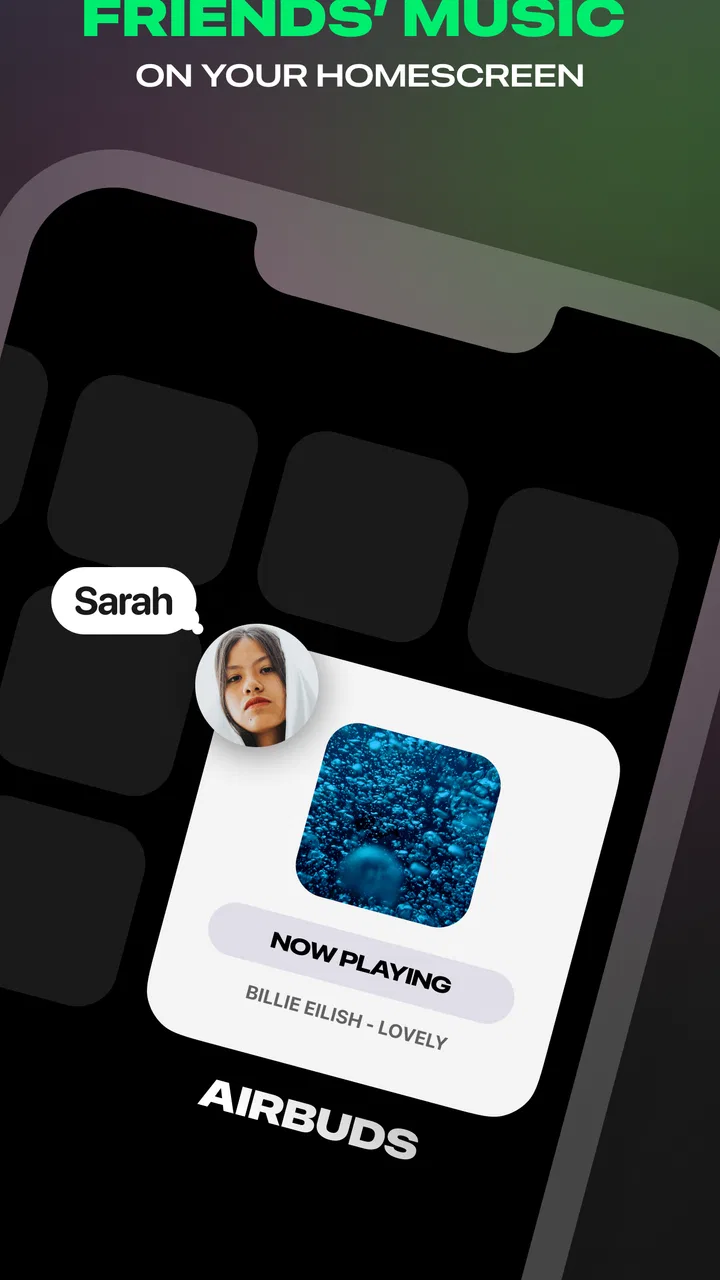
Airbuds Widget
- 4.6
- Rating
- 1.00M
- Installs
- Free
- Price

 Analysis by App-foxy
I like music apps that understand listening is often a social habit, not just a private one. Airbuds Widget takes that idea and puts it at the center of the experience: it is a Music & Audio app from Capp Inc. designed around seeing what friends are listening to. Instead of asking you to open a full music service and search through menus, it makes shared listening activity easier to notice during the day.
That focus makes the app quite different from a conventional player, streaming catalog, radio app, or playlist manager. I would not install it expecting a replacement for those tools. I see it more as a social layer that can make music conversations feel more immediate, especially when your friends already use it. The important question is therefore not simply whether you listen to music every day, but whether seeing your friends’ listening habits would genuinely add something to your routine.
After using it, my view is straightforward: this is a better fit for people who discover songs through friends than for listeners who want deep playback controls, detailed library management, or a completely private music routine. It is free to start, available to everyone, and supports devices running Android 8.1 or later. Its current version is 2.3.5, and the app has reached over a million installs with a 4.3 average from roughly forty-six thousand ratings, so it has clearly found an audience beyond a small group of early adopters.
You May Also Like

 Blood Strike: 2.5 Anniversary
Blood Strike’s Loadouts Turn Every Drop Into a Tactical Gamble
A close look at Blood Strike’s custom loadouts: how fast access to signature weapons reshapes its battle royale rhythm, rewards preparation, and narrows the gap between fights.

 Pandora - Music & Podcasts
Pandora’s Music Is Easy to Start, but Harder to Recover
Pandora’s strength is its low-effort path from a seed to a station. Its weak spot is how much confidence it asks you to place in connection, setup, and quiet recovery.

 8 Ball Pool
 Is Built on Rivalries, Rematches, and Routine
A close look at the rivalries, rematches, shared routines, and unanswered safety questions that turn a quick pool match into a persistent mobile community.

 Samsung Music
’s Quiet Strength Is Playing What You Already Own
Its reach comes less from spectacle than from dependable access to a personal library. That simplicity is both the app’s strongest retention engine and its ceiling.

 AccuWeather: Weather Radar
AccuWeather Review: A Quick, Clear Forecast for Everyday Decisions
For everyday plans, the best forecast is the one you can understand quickly. AccuWeather makes rain timing, radar, and local conditions easy to act on, with a few trade-offs.

 Hill Climb Racing
Why Hill Climb Racing Still Turns Crashes Into One More Run
A tiny car, a bumpy hill and one more upgrade: Hill Climb Racing keeps resurfacing because its simple chaos makes every near-miss feel personal.
More From Our News Desk
View All News


What I would consider before installing it
I would think about the social side before deciding whether the app belongs on my phone: its value depends less on how often I listen and more on whether I want friends’ activity woven into that routine. I’d also consider whether I’m comfortable with that visibility and whether a home-screen widget would earn a regular glance. With those trade-offs in mind, it’s easier to see where the idea pays off.
The real decision is social usefulness
The first thing I would ask is whether the people whose music matters to me are likely to participate. A widget showing activity is only interesting when there is activity worth seeing. If your close friends rarely share music, use different services, or prefer not to expose their listening habits, the central appeal becomes much weaker.
This is different from downloading a normal music app, where the value is available immediately through a catalog, recommendations, or playback tools. Here, the experience depends partly on a social circle. That is not a flaw in itself, but it changes the installation decision. I would treat it like a group app: useful when several people around you adopt it, less compelling when you are the only person using it.
What kind of music discovery do you want?
I find the most useful distinction is between intentional discovery and accidental discovery. A traditional recommendation system usually asks what you already like and then builds suggestions from that information. Airbuds Widget is more casual. A friend’s current or recent listening can prompt a question, a message, or a quick search for a song you would otherwise miss.
That makes it appealing if your taste is shaped by conversation. A friend listening to an unfamiliar artist can be more persuasive than an algorithmic suggestion because there is already a personal connection behind it. On the other hand, if you want carefully filtered recommendations based on mood, genre, tempo, or listening history, a dedicated music service will probably remain the stronger tool.
The widget matters more than the app icon
The short store description calls it an Airbuds Widget, and that wording is important. The point is not merely to open another app and browse a feed. The convenience comes from making listening activity visible in a place you already check. I would think about where a widget fits naturally on your phone before installing: a home screen that you glance at often is more useful than a crowded page you almost never visit.
There is also a practical trade-off here. A widget can reduce friction because it brings the social signal closer to you, but anything visible on a home screen can become background noise. If the display is surrounded by many other widgets and notifications, the music activity may lose its impact. I got better value from treating it as a small, intentional part of the home screen rather than adding it and forgetting about it.
Privacy and social boundaries deserve a thought
Music taste can feel personal even when the songs themselves are public. Before joining friends, I would decide whether I am comfortable making my listening activity part of a shared social space. That does not mean the app is unsuitable; it simply means the social benefit should be weighed against the visibility that comes with participation.
I would also avoid treating the feed as a complete picture of someone’s personality. People listen to background music, guilty pleasures, work playlists, children’s songs, and random tracks they may never play again. The best experience comes from using the activity as a conversation starter, not as a judgment tool. That small change in attitude makes the app feel lighter and avoids turning a fun feature into social pressure.
Where Airbuds Widget works especially well
For me, the strongest fit is a close-knit group that already swaps music but rarely has time to build playlists or listen together. A quick glance can turn an otherwise passing track into a specific question or recommendation, without requiring everyone to be online at once. The next consideration is whether this social approach suits your listening habits better than a more private or tool-focused alternative.
It turns passive listening into an easy conversation
My favorite use case is the ordinary moment when a friend’s song creates a reason to talk. Imagine checking your phone between classes, during a commute, or while waiting for coffee and noticing a track you do not recognize. Instead of asking the vague question “What have you been listening to lately?”, you have a specific starting point. You can search for the song later, ask why they like it, or send a message while the discovery is fresh.
That is a small interaction, but it solves a real problem. Music recommendations often disappear because nobody remembers the title or feels motivated to send a full playlist. A visible activity signal lowers the effort required to share. In my experience, the best value is not the number of songs shown; it is the way the app makes short, natural exchanges more likely.
It is useful for groups with overlapping taste
Friends who already trade songs, albums, or playlists are the clearest audience. For them, the app can act as a lightweight shared noticeboard. It does not require everyone to coordinate a listening session or build a polished playlist every time someone finds something interesting. A friend can simply listen, and that activity may become the next recommendation.
It can also work well for people who live apart. When friends move to different cities or have conflicting schedules, shared listening activity gives them a low-effort connection point. Nobody has to be online at the same moment. One person may notice a song in the morning and bring it up later that day. That asynchronous quality is more useful than it first appears.
The low commitment helps adoption
Because the app is free, I found it easier to suggest to friends without making the conversation about payment first. That matters for a social tool: every extra barrier reduces the chance that a group will try it together. The age rating is Everyone, which also makes it a straightforward option for a broad audience, although families should still make their own choices about what social sharing feels appropriate.
There are in-app purchases ranging from ninety-nine cents to thirty-nine dollars and ninety-nine cents per item. I would not make the purchase decision before trying the basic experience with friends. The free starting point is enough to determine whether the social concept fits your group, and that test is more informative than assuming paid options will automatically improve the experience.
A practical workflow that makes it more useful
One tip I would give a new user is to create a small habit around the widget rather than checking it constantly. For example, look at it once in the morning and once later in the day, then save or search only the songs that genuinely catch your attention. This keeps the feature from becoming another endless feed and turns it into a focused discovery tool.
A second useful approach is to use it as a prompt for deliberate sharing. If you notice a friend repeatedly listening to a particular style, ask them for one recommendation instead of reacting to every individual track. That produces better conversations and avoids making the activity feel like surveillance. The app is strongest when it supports human interaction, not when it replaces it.
It complements a music service rather than competing with it directly
Compared with a standard streaming app, Airbuds Widget has a narrower purpose but a more personal trigger for discovery. A streaming service is better for searching, playing, organizing, and exploring a large catalog. This app is better at answering the social question, “What are my friends hearing right now?” I would happily use both because they solve different parts of the listening experience.
Compared with a playlist-sharing tool, it also feels more spontaneous. Playlists require selection and preparation; activity can happen naturally during normal listening. The trade-off is control. A playlist gives you a curated sequence and a clear recommendation from its creator, while activity may be brief, incomplete, or disconnected from what your friend would actually recommend. I would use the widget for discovery and conversation, then move to a playlist or music service when I want a more intentional listening session.
There is value in the small moments
The app does not need to transform how I listen to be worthwhile. Sometimes the benefit is simply noticing that a friend’s taste has changed, finding a song for a walk, or realizing that someone else is enjoying the same track. Those moments are easy to overlook in a conventional music app because the design is usually centered on the individual listener.
This is also why I would not judge it by the standards of a full audio platform. It is not trying to win through a larger catalog or more advanced playback tools. Its advantage is context. The same song can feel more memorable when it arrives through a friend’s activity rather than an anonymous recommendation list.
Where another type of app may fit better
If I want careful library organization, hands-on playback controls, or recommendations that work independently of my friends, I’d reach for a conventional music service instead. I’d also be cautious if feeds already compete for my attention or if my circle is unlikely to participate; in those cases, the widget may become unused screen space. That doesn’t make the app a poor choice, but it makes the audience fit especially important.
Private listeners may find the social layer unnecessary
If I mainly listen alone and do not want my habits visible to friends, I would skip this app. A regular music player or streaming service would offer a cleaner experience with less social distraction. The widget’s central feature would not be an advantage for someone who sees music as personal downtime rather than something to discuss.
The same applies if your friends are not active participants. Even if you enjoy the idea, an empty or quiet social space can make the app feel unfinished. I would ask a few close friends first rather than installing it in isolation and hoping the network effect appears later.
Heavy music managers need deeper tools
I would also choose a conventional music app if my priorities were detailed library organization, queue control, offline listening, equalizer settings, or carefully structured playlists. Airbuds Widget is not the tool I would rely on for those jobs. Its social activity concept may sit alongside those functions, but it should not be mistaken for a replacement.
Listeners who want discovery without social exposure may prefer algorithmic recommendations, editorial playlists, radio-style mixes, or genre-focused services. Those alternatives can be more consistent when I want music immediately and do not care what anyone else is playing. They are also less dependent on whether friends have joined the same community.
People who dislike visible phone clutter should be selective
The widget is convenient only if it earns its space. If you prefer a minimal home screen, adding another visual element may feel like a cost rather than a benefit. I would test it for a few days and remove it if I kept ignoring it. A social feature that requires deliberate opening may still be useful, but then its advantage over an ordinary app shortcut becomes smaller.
There is a similar issue with attention. Seeing friends’ activity can encourage curiosity, but it can also tempt me to check repeatedly for updates. If you already feel overloaded by feeds and notifications, the app may add another stream to manage. In that situation, a less social music setup could protect your focus better.
The group effect creates a switching cost
Moving from a normal music routine to this kind of shared activity is not difficult technically, but it does require coordination. The cost is social rather than financial: convincing friends to participate, explaining why it is useful, and accepting that the experience depends on their continued interest. If the group stops using it, the reason to keep the widget may disappear.
That is why I would introduce it gradually. Start with the friends who already exchange recommendations, use the free experience, and see whether conversations actually happen. If the app becomes part of your group’s habits, it has earned a permanent place. If nobody refers to the activity after the initial novelty, there is no reason to force it into your daily routine.
Paid options should be judged by lasting value
The presence of in-app purchases means I would be careful about upgrading simply because I enjoy the concept. I would first identify the specific problem a purchase solves for me and whether I use the app often enough to justify it. A social app can feel exciting during the first week, then become less central once the novelty fades.
My advice is to keep the decision practical: use the free version with real friends, observe whether it changes how you discover or discuss music, and only then consider spending. The listed purchase range goes from ninety-nine cents to thirty-nine dollars and ninety-nine cents per item, so the difference between a small experiment and a substantial commitment is meaningful.
My recommendation after weighing the trade-offs
I’d try it with a few friends who genuinely enjoy exchanging songs, then judge it by whether it leads to discoveries or conversations rather than by how often I open it. Keeping the widget visible but not prominent can make that trial feel casual, and I’d hold off on optional spending until the habit proves useful. That gives me a practical basis for deciding whether the social layer deserves a lasting place in my routine.
Who I would recommend it to
I would recommend Airbuds Widget to a group of friends that already shares songs and wants a lower-effort way to stay connected. It is particularly appealing if you enjoy finding music through people you know, like casual conversation prompts, and are comfortable with listening activity being part of a social space.
I would also suggest it to someone who wants a gentle alternative to aggressively curated discovery. The widget does not need to predict your entire taste profile. It simply gives you a human signal, and that can be enough to lead you toward something memorable. The most successful users will probably be those who treat the app as a bridge to conversation rather than as another content feed to consume.
Who should probably skip it
I would skip it if I wanted a complete music solution, disliked social sharing, or expected useful recommendations without involving friends. I would also hesitate if my close circle used different services or had no interest in sharing listening activity. In those situations, a standard streaming app, playlist tool, or private player would deliver value more reliably.
That is not a criticism of the design; it is a reminder that this app has a specific job. Its narrow focus is exactly what makes it interesting for the right audience and unnecessary for everyone else. I prefer that kind of clear identity to an app that tries to do everything and does none of it especially well.
What I would do before committing
I would install the free version, invite a few genuinely music-minded friends, and place the widget somewhere visible but not intrusive. Then I would watch my own behavior rather than judging it from the first launch. Did I discover songs I actually wanted to hear? Did the activity lead to conversations? Did I check it naturally, or did it become another ignored panel on my phone?
I would also make a personal boundary clear from the beginning: not every listening moment needs to become a public recommendation. Using the app selectively keeps it enjoyable and prevents the social aspect from feeling performative. That is one of the more important practical insights here: the experience improves when participation remains casual.
With its free entry point, Everyone rating, support for Android 8.1 and later, and a growing audience, Airbuds Widget is easy to try without replacing the music tools you already use. Capp Inc. has built something focused rather than broad, and that focus is its main strength. It gives friends a shared view of listening without demanding a formal playlist or a synchronized session.
My final recommendation is conditional but positive. If music is one of the ways you maintain friendships, I think it is worth testing with a small group. If you want private listening, advanced playback, or dependable recommendations that do not rely on other people, I would choose a different category of app. The best reason to keep it is not the widget itself, but the conversations and discoveries it makes easier.
FAQs for Airbuds Widget
01What is Airbuds Widget and what does it do?
Airbuds Widget is an app designed to enhance the user experience with wireless earbuds. It provides real-time updates on battery levels, connection status, and customizable controls directly on your device’s home screen. This makes it easier to manage your earbuds without navigating through multiple settings.
02Is Airbuds Widget compatible with all wireless earbuds?
Airbuds Widget is compatible with most popular wireless earbuds, including major brands like Apple AirPods and Samsung Galaxy Buds. However, compatibility may vary with lesser-known brands, so it's advisable to check the app's compatibility list before downloading to ensure it supports your specific earbuds model.
03How does Airbuds Widget improve the user experience?
Airbuds Widget improves user experience by offering seamless access to key features of your earbuds. With its intuitive interface, users can monitor battery life, switch between active noise cancellation modes, and adjust volume levels without unlocking their phones, making it a convenient tool for everyday use.
04Are there any customization options available in Airbuds Widget?
Yes, Airbuds Widget offers several customization options to tailor the user interface to your preferences. You can choose different widget sizes, styles, and configure shortcuts to frequently used functions. This level of personalization ensures that the widget fits seamlessly into your home screen layout and usage habits.
05Is Airbuds Widget free to download and use?
Airbuds Widget offers a free version with basic features, but there is also a premium version available through in-app purchases. The premium version unlocks additional features such as advanced customization options and ad-free usage, providing a more enhanced experience for those who opt for it.
Pros
- User-friendly interface for quick access.
- Customizable widgets to suit preferences.
- Seamless integration with existing apps.
- Lightweight
- doesn't drain battery.
- Supports multiple device connections.
Cons
- Limited customization options for themes.
- Occasional connectivity issues reported.
- Requires frequent updates for stability.
- Limited compatibility with older devices.
- Some features locked behind paywall.

Airbuds Widget
Gallery